
rhythm sequencer
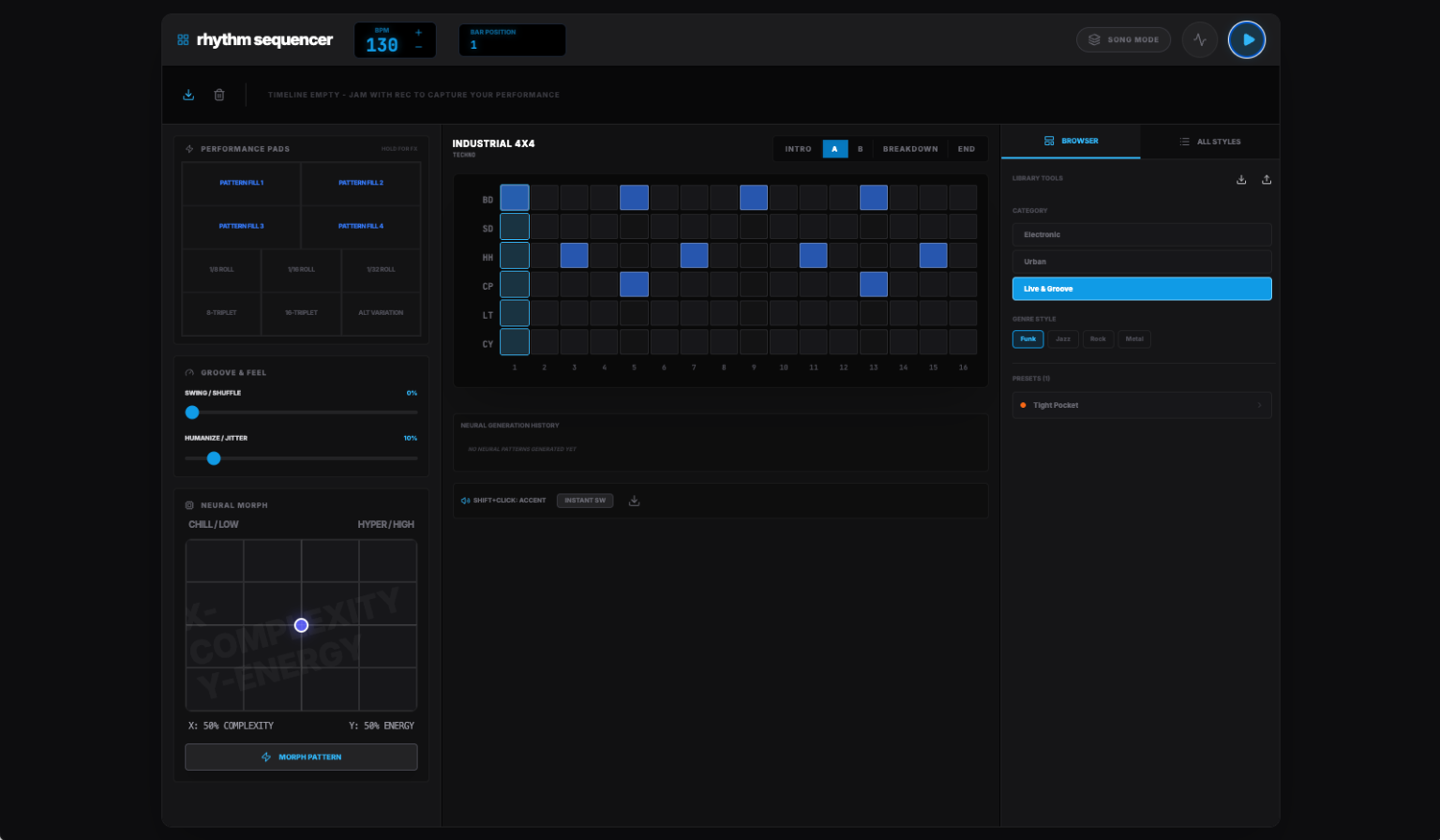
A sophisticated, AI-enhanced drum machine and rhythm sequencer built for modern web browsers. Designed for both live performance and complex composition, it combines a high-precision audio engine with the creative power of the Gemini API.
Features
Performance & composition
- song mode: A dedicated timeline for arranging 16-step bars into full compositions.
- performance pads: Instant access to rhythm fills (1/8, 1/16, 1/32) and genre-specific variations for live jamming.
- real-time feel: Deep control over Swing, Humanize (timing jitter), and Push/Pull to give your beats a human touch.
- multi-section architecture: Every “Style Kit” includes pre-composed Intro, A-Section, B-Section, Breakdown, and Outro patterns.
Neural morph (AI)
- generative patterns: Leverages Gemini 3 Flash to generate rhythm patterns based on genre, complexity, and energy.
- interactive X/Y grid: Morph patterns visually. Drag the pointer to adjust complexity and energy, then trigger a “Neural Morph” to update your kit.
- history tracking: Keep track of your best AI-generated beats and switch back to them instantly.
Professional audio & export
- sample-accurate timing: Custom Web Audio API scheduler ensures zero-latency playback and high-precision playhead tracking.
- MIDI export: Export individual patterns or your entire song sequence as standard MIDI files for use in your favorite DAW.
- library management: Import and export custom libraries as JSON files to back up your creations.
Getting started
- browse styles: Use the right-hand panel to explore genres like Techno, DnB, Trap, or Funk.
- craft patterns: Click steps in the center grid to toggle notes.
Shift + Clickto add an Accent (velocity boost). - jam & record: Hit the Record button and play with performance pads or change sections live. Your performance is automatically captured into the Song Mode timeline.
- arrange: Right-click bars in the timeline to duplicate or delete them. Click any bar to jump the playback position.
- morph: Use the Neural Morph panel to generate brand new ideas when you’re feeling stuck.
Shortcuts
- Space: Toggle Play/Stop.
- Shift + Click (on Grid): Toggle step velocity (Accent).
Technical stack
- Framework: React 19
- Styling: Tailwind CSS
- Icons: Lucide React
- Intelligence: Google Gemini API (Gemini 3 Flash)
- Audio: Web Audio API (Custom Int16/Float32 PCM Scheduler)
Created by a world-class senior frontend engineer.