
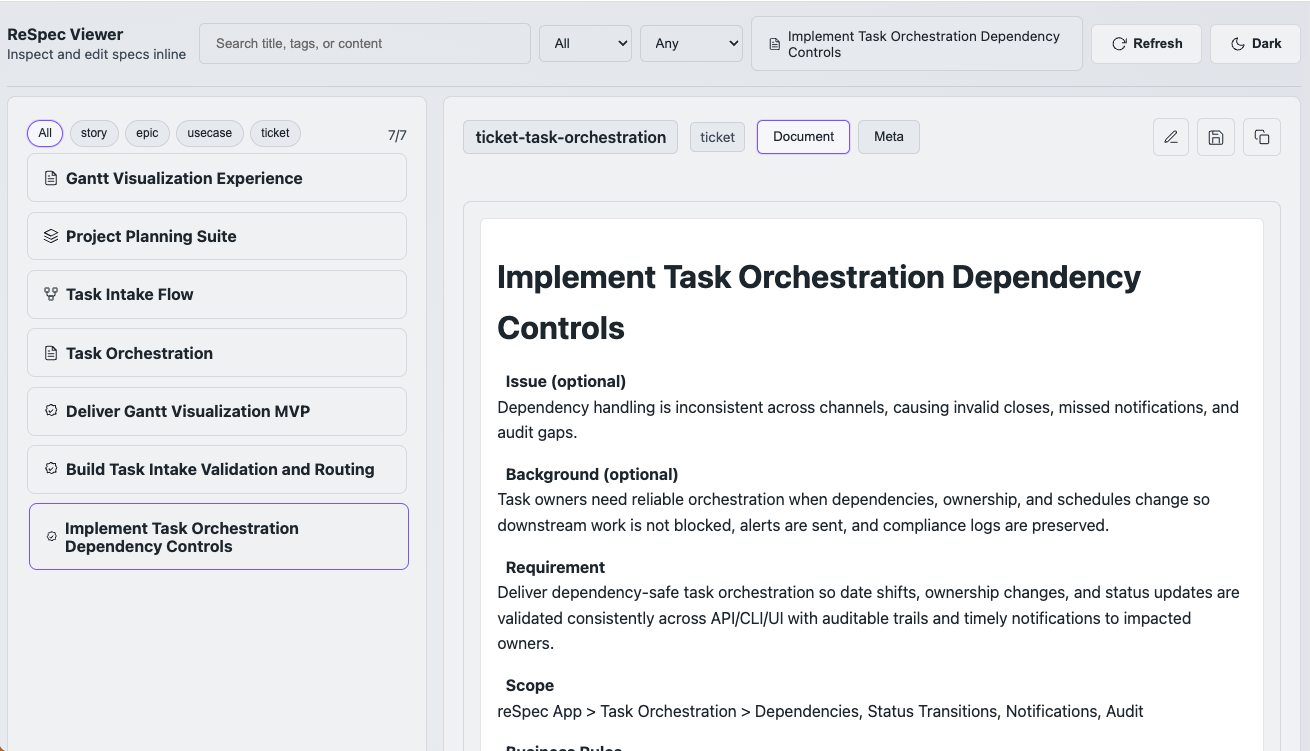
reSpec is a Markdown-first specification framework that brings order and clarity to epics, stories, and tickets. It combines JSON front matter, semantic Markdown blocks, and a Node.js CLI to give product managers, business analysts, and engineers a shared source of truth that’s both human-readable and automation-ready.
Think of it as a clean, modern alternative to sprawling Confluence pages or rigid enterprise spec tools.
What reSpec includes
- spec/ — the canonical repository of specs (Markdown + JSON front matter with semantic blocks).
- templates/ — starter files for each spec type, ensuring consistent structure.
- CLI (bin/spec.js) — a simple Node.js tool for creating, linking, and managing specs.
- src/ — parsing and indexing logic (semantic block extraction, relations, state flags).
- .spec-index.json — an auto-generated index powering search, navigation, and tooling.
- viewer/ — a lightweight UI for browsing specs and refreshing the index.
The Spec Format
Every spec is both readable and machine-actionable:
- Starts with valid JSON front matter containing:
id,type,spec_state,tags,relations,created,updated - Followed by Markdown narrative and fenced semantic blocks, e.g.:
acceptance_criteria,business_rules,usecase,flow,scenario,data_model,decision,note - The JSON front matter must remain valid — the CLI and indexer depend on it.
CLI Overview
You can run the CLI directly with Node or symlink it globally.
It supports creation, lineage management, state changes, indexing, and search.
Example commands:
node bin/spec.js list --type story
node bin/spec.js show ticket-task-orchestration
node bin/spec.js create ticket ticket-new --title "New Ticket" --parent task-orchestration --tags ticket,orchestration
node bin/spec.js link task-orchestration --child ticket-task-orchestration
node bin/spec.js canonise task-orchestration
node bin/spec.js index
Key operations
list [--type | --tag | --state]— filter and browse specsshow <id>— view a single speccreate <type> <id>— generate from template with metadata populatedlink/unlink— maintain parent–child relationscanonise,propose,adopt— update state flagsindex— rebuild the semantic indexexport json— output JSON for one spec or alltemplates— list available templates
Viewer
A lightweight browser interface for viewing specs and refreshing the index:
node bin/spec.js ui --port 4173
# http://localhost:4173
Working With Specs
- Use the CLI for all changes — it keeps timestamps, relations, and the index consistent.
- If editing Markdown manually, ensure the front matter JSON is still valid and then re-run
index. - Never modify
.spec-index.jsonby hand. - Keep fenced block names intact; only edit their content.
Development Setup
Requirements: Node.js 18+
Setup is intentionally minimal:
npm install
node bin/spec.js help
Conventions
- State flags:
canonical— authoritative specexisting— implemented/liveproposed— draft or new work
- Relations: one parent, many children — both sides kept in sync
- Ticket templates follow BA/BDD structure with BR/AC mapping, Gherkin, and test steps
Common Tasks
# Create a new story under an epic
node bin/spec.js create story data-quality --title "Data Quality Guardrails" --parent core-platform --tags quality,platform

# Search across all specs
node bin/spec.js search "flow"

# Rebuild the index after manual edits
node bin/spec.js index