
MECE Taxonomy Kanban is a WordPress plugin that enhances the native taxonomy system with powerful visualization and management tools. It lets you explore taxonomy relationships through dynamic data visualizations and manage terms using an interactive Kanban board.
The plugin introduces the concept of MECE taxonomies (Mutually Exclusive, Collectively Exhaustive), enabling category-style taxonomies to be organized visually in a board format. For non-MECE terms—such as traditional tags—it provides a drag-and-drop workflow that lets you literally pick up and assign terms to posts and pages.
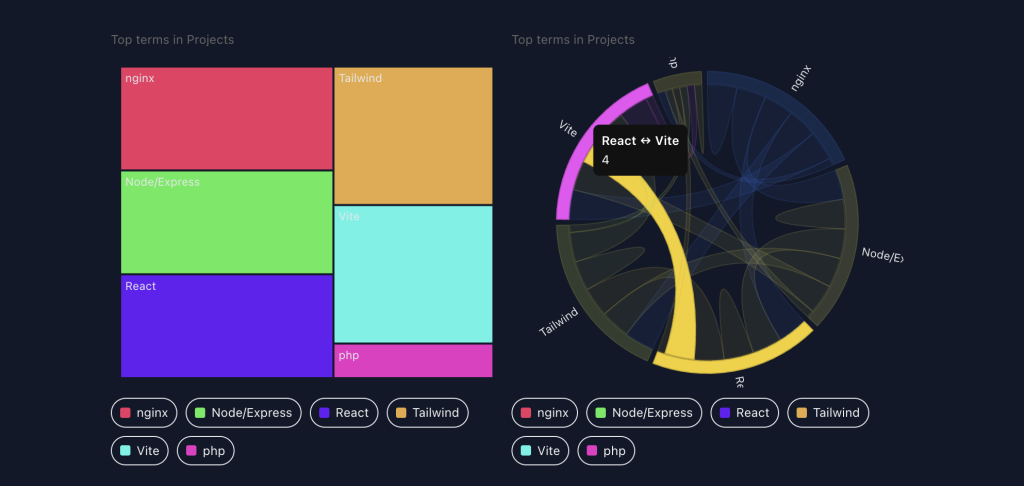
Beyond management, MECE Taxonomy Kanban adds visualization widgets for the WordPress dashboard, offering at-a-glance overviews of term distributions, relationships, and content balance. It also includes front-end blocks that embed compact, interactive taxonomy visualizations directly into posts or pages—perfect for reports, content audits, or knowledge mapping.
Together, these tools transform taxonomy cleanup and post organization into a clear, intuitive, and visually engaging experience.
🚀 Features
- Drag-and-drop taxonomy management — move posts between term columns or assign terms to posts.
- Inline editing — rename, create, or delete terms without leaving the board.
- Palette system — choose from 30+ color palettes (
warm,cool,material,vivid,forest, etc.). - Dark-mode ready — automatically adapts when
<html class="dark">is active. - Two modes:
- MECE Mode: posts grouped by taxonomy term.
- Non-MECE Mode: draggable term cards assignable to posts.
- Tailwind-compatible variables for easy integration with modern WP admin themes.
- Taxonomy Kanban Block embeds compact visualizations in content
🧩 Modes Explained
🟩 Single MECE Mode
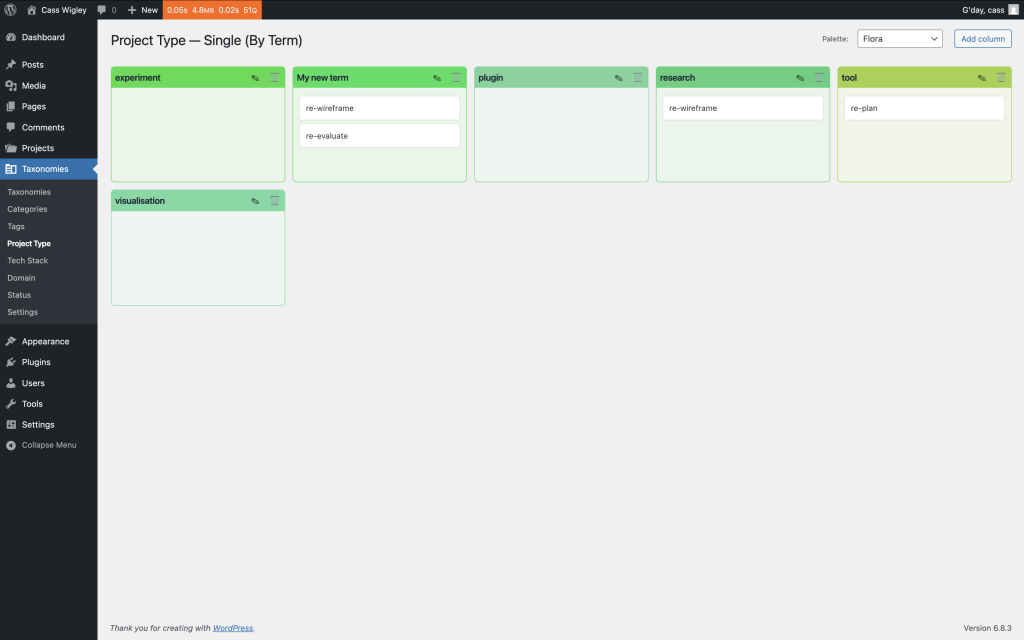
This mode enforces Mutual Exclusivity: each post is assigned to a single taxonomy term.
You’ll see one column per term (plus “Uncategorised”), with posts listed beneath.
Drag a post card from one column to another to reassign its taxonomy instantly.
Use the “+ Add Term” button to create new columns and rename them inline.
🟦 Multi Affinity Mode
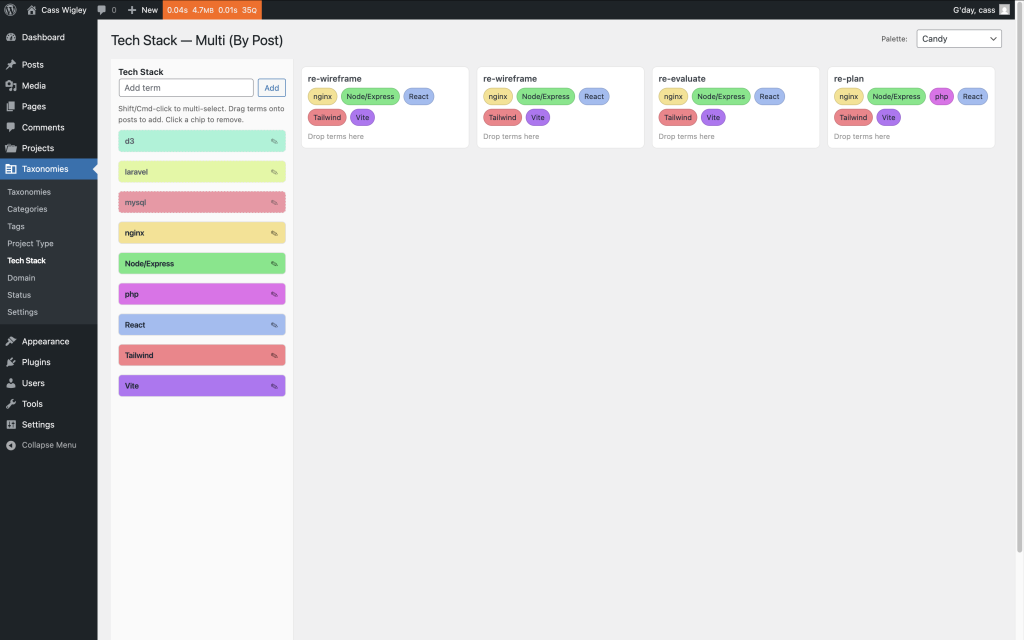
This mode supports Collective Exhaustiveness: posts may belong to multiple terms.
On the left, you’ll see a draggable list of all terms (tags or other taxonomies).
On the right, posts appear as cards; drag one or more terms onto a post to assign them.
Click a term chip to remove it. Changes are saved live via AJAX.
🧭 Dashboard Widgets
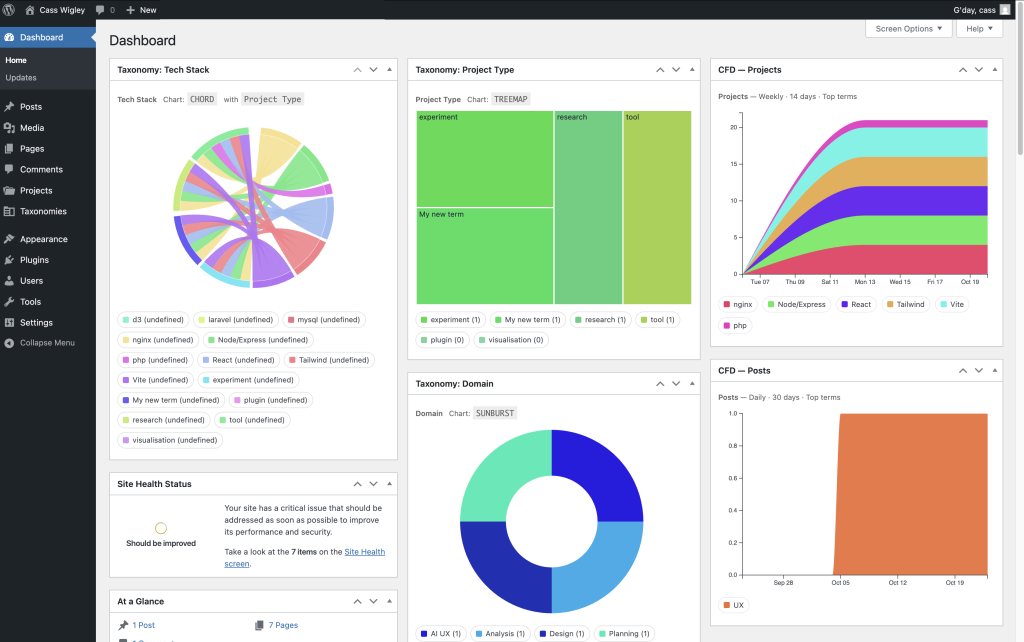
The plugin includes a set of dashboard widgets for at-a-glance visibility:
- MECE Overview Chart: Displays category distribution and orphaned posts.
- Cumulative Flow Diagram (CFD): Shows how taxonomy assignments evolve over time.
- Recent Changes: Lists the latest taxonomy edits (created, renamed, or moved).
- Palette Preview: Displays the currently selected palette for the active taxonomy.
Widgets can be enabled or disabled under Screen Options → Dashboard Widgets in the WordPress admin.
🧱 Available Blocks
4️⃣ Taxonomy Charts Block
Block name: mece/tax-charts
Displays summary visualizations of taxonomy data such as term counts or relationships.
Supports pie, donut, bar, and sunburst charts.
5️⃣ CFD Dashboard Block
Block name: mece/cfd
A wide layout CFD block for admin or reporting pages — connects directly to dashboard widget data.
🧩 Shared Features
All MECE blocks include:
- Live D3.js visualizations
- Tailwind + dark-mode styling
- Palette selector integration
- Editor preview toggle
- Width controls (
content,wide,full)
🧠 Technical Notes
- JavaScript interface built on jQuery UI Sortable/Draggable.
- Color palettes generated using Golden-Angle + Halton sequence for perceptual evenness.
- AJAX endpoints:
mece_create_term,mece_rename_term,mece_delete_term,mece_set_post_term,mece_add_post_term,mece_remove_post_term. - LocalStorage preserves the selected palette per taxonomy.
- Works with both hierarchical and non-hierarchical taxonomies.