
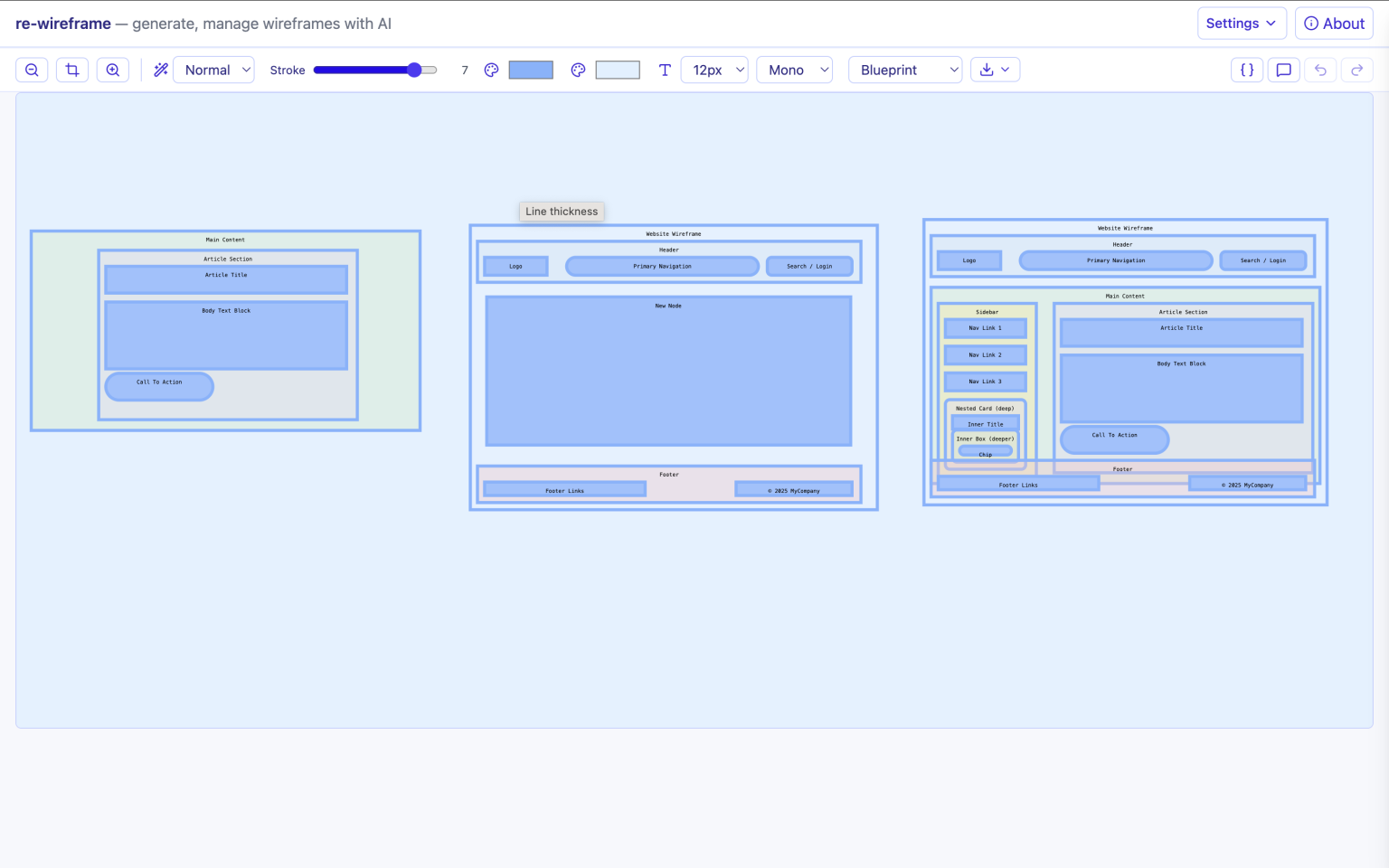
Generate, manipulate wireframes with AI
A frame-first wireframing tool. Think in frames (containers) that recursively nest other frames and UI elements. Generate from a brief, edit by hand or via chat, and export your structure.FeaturesInstructionsEnd-to-EndWireframes via ChatTechnicalTechniques & Use Cases
Feature Set
AI Generation
- Create wireframes from a plain-English brief or uploaded files (PDF, text, JSON, HTML, etc.)
- Produces a nested model of frames (containers) and nodes (UI elements)
- Smart defaults for colors, shapes, and padding
AI Editing via Chat
- Add/rename/move frames and nodes; change shapes/colors
- Re-layout containers (grid, masonry-style) with natural language
- Dedicated AI undo/redo for safe exploration
Manual Editing
- Drag to move, resize from corners; Alt+Drag to duplicate
- Children are clamped neatly inside their parent frame
- Zoom & pan with toolbar controls
Exports
- Export PNG / SVG for docs & slides
- Download JSON of the model for downstream tooling
- Consistent, print-friendly visuals
Instructions
Accepted Prompt File Types
- PDF (parsed via pdf.js)
- TXT / MD / JSON / HTML / JS (treated as text)
- Other text-like files will fall back to raw text
Tips for Better Generations
- Describe the main frames (e.g. “Header”, “Sidebar”, “Main Content”, “Footer”) and what each should contain.
- Specify preferred shapes (rectangle, rounded, pill, circle) and any colors.
- Mention layout intent (grid, two-column, cards, masonry, dashboard zones) at the frame level.
- Keep it low-to-mid fidelity: labels and grouping are more valuable than pixel perfection.
End-to-End: From Brief to Wireframe
- Write a wireframe brief (or upload a document) describing frames and key UI elements.
- Click Generate. The AI returns a
modelwith recursively nested frames and nodes. - Edit manually by dragging/resizing or use Chat Edit to request changes in plain English.
- Use AI Undo/Redo for chat operations (separate from manual history).
- Export PNG/SVG/JSON when you’re ready to share or hand off.
Wireframe Operations via Chat
Ask for structural edits in plain English. The app prefers minimal, incremental operations and keeps IDs stable. It also includes a local fallback for common layout instructions.
Add frames & elements
- “Add a ‘Sidebar’ frame inside ‘Main’ with width ~300px.”
- “Inside ‘Header’, add a ‘Search’ node and a ‘Login’ button.”
Rename or move
- “Rename ‘Main’ to ‘Content’.”
- “Move the ‘Filters’ frame under ‘Sidebar’.”
Change appearance
- “Set ‘Login’ button shape to pill and background to #111827.”
- “Make ‘Cards’ elements circles at 80×80.”
Layout helpers
- “Make the main content a staggered masonry grid.”
- “Use a 3-column grid in ‘Dashboard’ with 12px gaps.”
Cleanup
- “Delete the placeholder node ‘TBD’.”
- “Duplicate ‘Card’ node and offset by 20px.”
Reset (explicit)
- “Replace all with a new layout: Header, Sidebar, Content, Footer.”
- “Reset and regenerate for a mobile-first flow.”
Notes: Chat edits are validated, normalized, and fit to their parent frames automatically.
Technical Overview
Model
The core data structure is a recursive tree. A container (frame) can contain children that are either other containers or node elements. Each item has x, y, width, height, label, background, shape. Children are normalized to stay within the parent’s padded bounds.
Stack
- React (Vite) UI with Tailwind-style utility classes
- d3 for drag/zoom/pan behaviors
- roughjs for the hand-drawn “rough” render mode
- OpenAI API for generation & chat-ops (ops-first JSON schema)
- pdfjs-dist for PDF text extraction
- lucide-react for icons
Chat Editing Protocol
- System prompt enforces minimal ops:
addGroup / addNode / updateGroup / updateNode / delete*orreplaceAll(only when explicitly requested). - The app normalizes and clamps positions/sizes; children are kept within their parent’s frame.
- Local fallbacks: for common phrases like “masonry grid” the app can re-layout frames even if the model replies with prose.
Exports
- PNG / SVG: snapshot the current canvas
- JSON: the full recursive model for automation/scripts